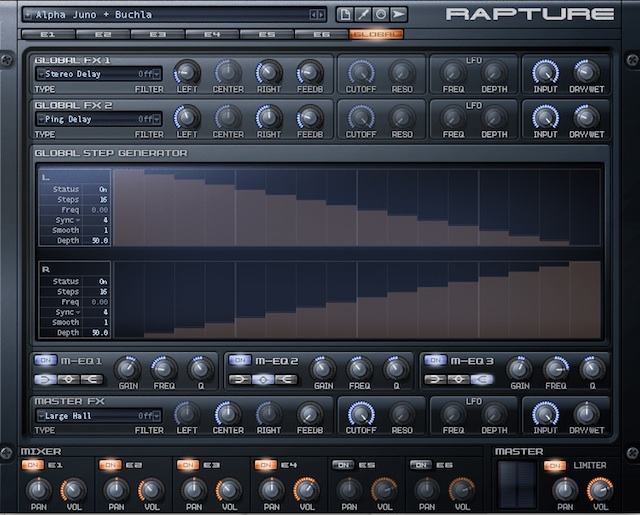
So if you can hear above 19k and like playing with Rapture. You may want to try this little trick... First some history:
http://forum.cakewalk.com/tm.aspx?m=998264
As you can see from the date this has been a known trick for some time. Now that Rapture's user base has increased from the recent deals (also now part of SONAR X2 Producer), I thought everyone might enjoy a refresher on this.
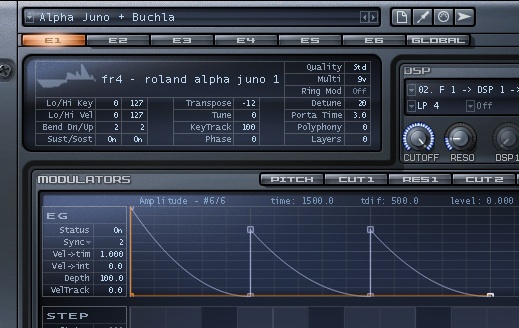
* Please note the steps below involve editing your registry (windows) and preference files (osx). If you don't feel comfortable editing these things, you should NOT try this.
** Also note, this increases Rapture's output in higher frequency content at the cost of CPU. You may find it can increase your Rapture CPU usage up to 10% or more, if you are worried about this you should NOT try this.
*** You may want to read the full thread linked above. Again I enjoy this modification because my hearing is sensitive in the 19-20k range. If your hearing is not that good in higher ranges, you should NOT try this.
For those adventurous enough to try, here are the steps:
Windows
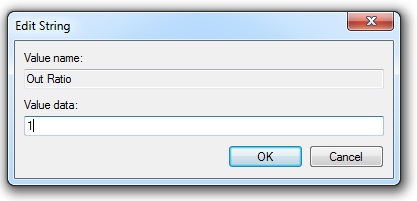
We want to add the registry key "Out Ratio" with a value of "1" inside Rapture's registry.
- Open Regedit
- Click Start, and then click Run.
- Type Regedit, and then click OK.
- Navigate to the following location:
HKEY_LOCAL_MACHINE\SOFTWARE\Cakewalk Music Software\Rapture
*If you are running Rapture 1.2.2 you'll notice the key is here if you have both entries, might as well try setting both:
HKEY_LOCAL_MACHINE\SOFTWARE\Cakewalk Music Software\rp
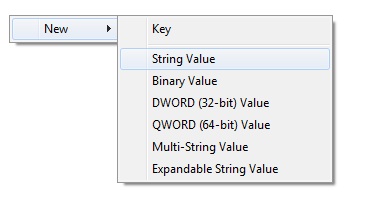
- Create a new registry string in the Rapture registry "Out Ratio"
- Then assign the value of this new key to "1"
- Save your changes and close Regedit
OS X
We are going to add the string "Out Ratio" with a value of "1" to Rapture's plist file located here: /Library/Preferences/com.cakewalk.Rapture.plist
Apple offers a free Property List Editor within their xcode apps. https://developer.apple.com/xcode/. You can also google for other free property list editors on OSX if you'd like.
So if you have a plist editor you can go ahead and perform the following steps:
- Open the file /Library/Preferences/com.cakewalk.Rapture.plist
- Add Child
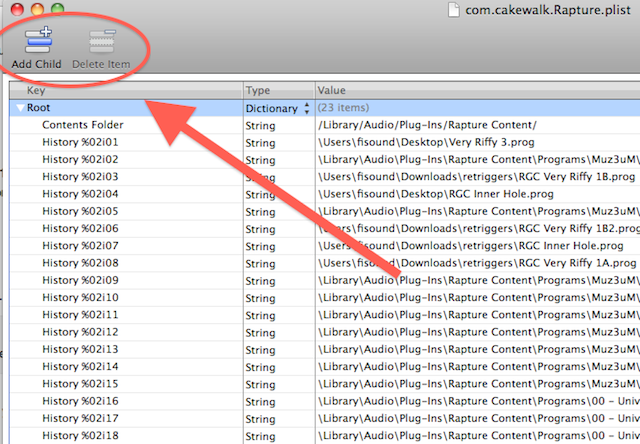
- Set Key Name "Out Ratio", Type "String", Value "1"

- Save your plist and you're done.
For the sake of making this easy for OSX users I've made a quick command script, all you have to do is unzip it and double click to run and you are done.
Rapture Out Ratio script - Download
Or you can also copy and paste the following into your Terminal and hit Enter:
"/usr/libexec/PlistBuddy" -c "Add 'Out Ratio' string 1" /Library/Preferences/com.cakewalk.Rapture.plist
"/usr/libexec/PlistBuddy" -c "Set 'Out Ratio' 1" /Library/Preferences/com.cakewalk.Rapture.plist